
Description
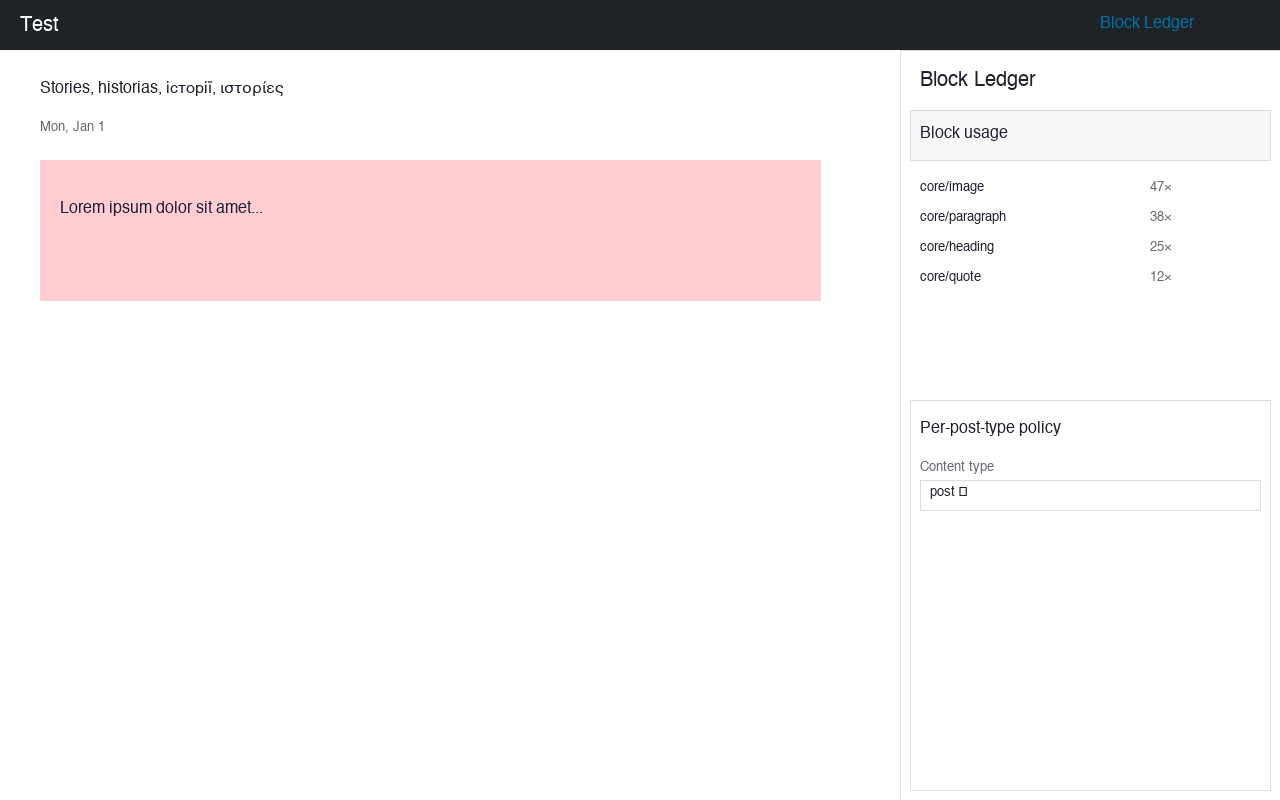
Block Ledger is a control plane over the block editor — not another block library. It answers three questions content plugins never touch:
- What is in my editor, and where is it used? A usage index built from
parse_blocks()across posts, reusable blocks, and Full Site Editing templates. - What am I allowed to add? Allow/deny blocks globally or per post-type, and lock editor settings per role.
- If I remove or update something, what breaks — and can I undo it? Retire a block type by rendering every in-use instance to portable static HTML, with a one-click restore snapshot.
The safe-deactivation feature is the anti-lock-in core: deactivate a block plugin without leaving broken markup behind.
Screenshots

Installation
- From your WordPress admin, go to Plugins > Add New.
- Search for Block Ledger, click Install Now, then Activate.
- Open any post in the block editor; the Block Ledger panel opens from the “+” more menu on the top bar.
Building from source
Clone the repository and run npm install && npm run build to compile the editor assets into build/.
FAQ
-
Does Block Ledger add content blocks?
-
No. It is a control panel, not a block library. It adds no content blocks of its own.
-
Will hiding a block delete existing content?
-
No. Hiding a block removes it from the inserter only. Existing content that uses that block is untouched.
-
What does “retire” do?
-
Retire converts every instance of a block to plain static HTML and snapshots the original. This lets you remove a block plugin without breaking pages. Restore brings the original back.
-
Is the Pro tier a paywall inside the free plugin?
-
No. The free plugin is 100% GPL with no feature gates. Pro is a separate plugin or external purchase flow only.
-
Can I use this on multisite?
-
Yes. The usage index and policy settings are stored as site options. Network admins can manage policies from Tools Block Ledger.
Reviews
There are no reviews for this plugin.
Contributors & Developers
“Block Ledger” is open source software. The following people have contributed to this plugin.
Contributors
Translate “Block Ledger” into your language.
Interested in development?
Browse the code, check out the SVN repository, or subscribe to the development log by RSS.
Changelog
0.1.0
- Initial release.
- Site-wide block usage index with counts.
- Hide/show blocks from inserter (global + per post-type).
- Safe retire/restore with snapshot.
- Tools Block Ledger admin dashboard.
- Editor sidebar panel fallback.
0.1.0
- Initial release: usage ledger, inserter allow/deny policy, safe block retirement with restore.